You bought a smart thermostat to cut your energy bill and control the heat from your phone, but the box says “C-wire required” and you have no idea what is behind your old thermostat. Or you already pulled the old one off the wall and are staring at a bundle of colored wires, hoping you remember where they went.
This guide walks you through the whole job: checking that your system is compatible, photographing and labeling wires, solving a missing C-wire, turning off power correctly, mounting and setting up the thermostat, and fixing the most common errors. It also explains why a standard smart thermostat must never go on a line-voltage baseboard heater.
Quick answer: Confirm you have a low-voltage (24-volt) system with thin wires on terminals labeled R, W, Y, G or C. Turn off the HVAC breaker and the furnace switch, photograph the wiring and label each wire by its terminal letter, then move the wires to the matching terminals on the new base. If there is no C-wire, use an unused wire, the manufacturer’s adapter or a plug-in transformer. Restore power and follow the app setup.
Step 1: Check compatibility first
Most smart thermostats are made for low-voltage central heating and cooling: gas, oil or electric furnaces, central air conditioners, heat pumps and many boilers. Before you buy or install anything, confirm which type of system you have.
| System type | How to recognize it | Standard smart thermostat? |
|---|---|---|
| Low-voltage (24V) central HVAC | Thin, colored wires on small screw terminals marked with letters such as R, W, Y, G and C | Yes, in most cases. Run the maker’s online compatibility check. |
| Heat pump | Low-voltage wiring that includes an O or B wire, and often AUX or W2 for backup heat | Usually yes, but confirm the model supports heat pumps and auxiliary heat. |
| Line-voltage (120V or 240V) electric baseboard or wall heaters | Thick wires joined with wire nuts, often two or four of them, and labels showing 120V or 240V or “line” and “load” | No. Only use a thermostat specifically rated for line voltage. |
| Millivolt systems | Two wires to some gas wall heaters, floor furnaces or fireplaces, with no separate furnace control board | Usually not. Check with the manufacturer before buying. |
| Ductless mini-split | A remote control rather than a wired wall thermostat | Needs a controller designed for mini-splits. |
Safety note: Never connect a standard low-voltage smart thermostat to a 120V or 240V line-voltage heating circuit. It can destroy the thermostat, start a fire or give you a dangerous shock. Line-voltage thermostats for baseboard heat carry full household voltage, so turn off the breaker, verify with a tester, and use only a thermostat rated for line voltage, or hire a licensed electrician.
Before you start: permits, power and tools
Swapping one low-voltage thermostat for another is often a DIY job, but rules vary by area, especially for running new wire or replacing line-voltage thermostats. Check with your local building department if you are unsure, and ask your landlord first if you rent. Avoid doing the swap during a cold snap or heat wave, since you may need a day to sort out a problem.
Tools and materials
- Your new smart thermostat, its base plate and any included C-wire adapter
- Small flat and Phillips screwdrivers
- Phone camera for before photos
- Wire labels (often included) or masking tape and a fine marker
- Drill, small bit, wall anchors and a small level
- Pencil or clothespin to keep wires from slipping into the wall
- Non-contact voltage tester
- Painter’s putty or a bit of insulation to plug the wall hole
Step 2: Turn off the power
Low-voltage thermostat wires carry only 24 volts, but a short between them can blow the small fuse on your furnace control board or damage the new thermostat. Power comes from a transformer at the furnace or air handler, so that is what you need to shut off.
- Turn off the breaker for the furnace or air handler. Some systems have more than one breaker, so also switch off the one for the outdoor AC or heat pump.
- Turn off the service switch near the furnace, which usually looks like a light switch on or beside the unit.
- Confirm the system is off by trying to turn on the fan or heat from the old thermostat. Battery-powered thermostats may still light up, so the system not responding is the real check.
Step 3: Photograph and label the wires
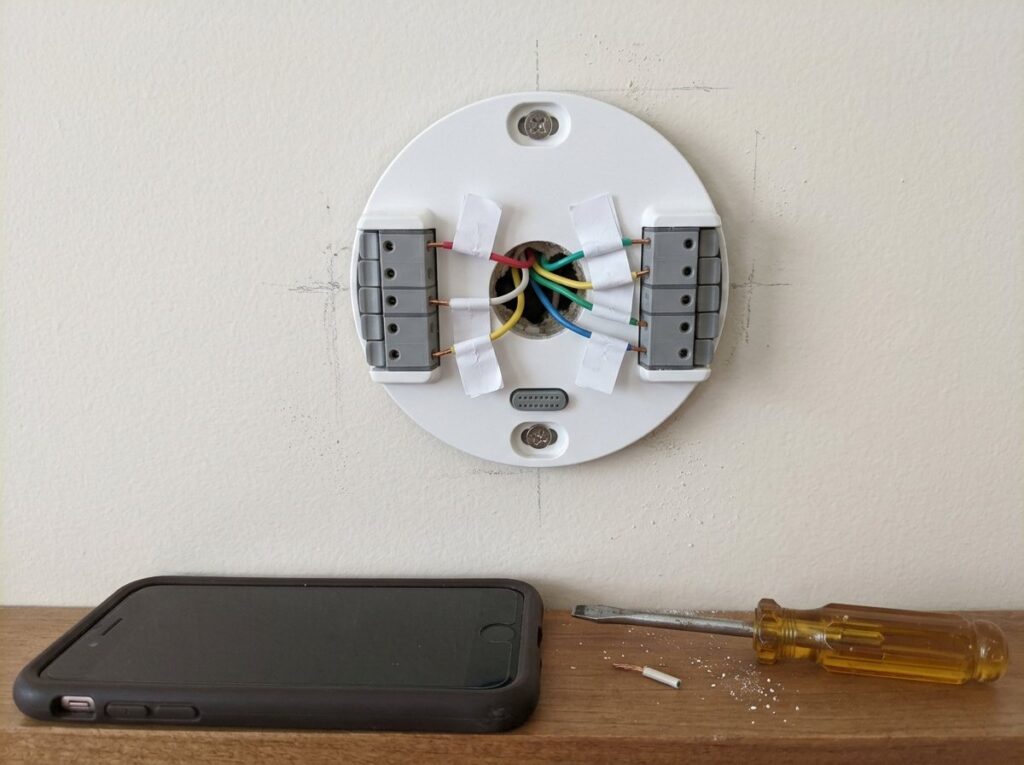
Remove the old thermostat’s cover and take a clear photo of the wiring before you touch anything. As Angi notes, thermostat wire colors are not standardized, so label each wire by the letter of the terminal it is connected to, not by its color.
| Terminal | What it does | Common color (not guaranteed) |
|---|---|---|
| R, Rh, Rc | 24-volt power from the transformer (Rh for heat, Rc for cooling) | Red |
| C | Common wire that completes the circuit and powers the thermostat | Blue or black |
| W or W1 | Heat, first stage | White |
| W2 or AUX | Second stage or heat pump backup heat | Varies |
| Y or Y1 | Cooling or heat pump compressor | Yellow |
| G | Blower fan | Green |
| O or B | Heat pump reversing valve | Orange or dark blue |
Note any jumper wire between R and Rc, and any wire folded back unused in the wall, since that may be a spare you can use as a C-wire. Then disconnect the wires one at a time, label them and unscrew the old base. Clip the bundle with a clothespin so it cannot drop into the wall.
Step 4: Solve a missing C-wire
Most smart thermostats need steady power from a C-wire to run Wi-Fi and the screen. Without it, some will try to draw power through the other wires, which can cause dropouts, clicking or short cycling. If your wall has no C-wire, you have several options.
| Option | How it works | Trade-offs |
|---|---|---|
| Use an unused wire | Connect a spare wire to C at the thermostat and to the C terminal on the furnace control board | The easiest fix if a spare exists. Requires opening the furnace panel with power off. |
| Manufacturer’s adapter or power kit | A small module installed at the furnace that creates C-wire power over existing wires | Works only with supported models. Follow the instructions exactly. |
| Plug-in 24V transformer | A transformer plugs into an outlet and its wire runs to the thermostat, connected exactly as the thermostat maker instructs | Needs a nearby outlet and a visible or hidden wire run. |
| Run new thermostat cable | New multi-conductor cable from the furnace to the thermostat | The most reliable, but the hardest to do through finished walls. |
| Repurpose the G wire | Use the fan wire as a C-wire | You lose independent fan control, and some systems need extra jumpers. |
Angi’s guide calls running a new wire the most reliable method and warns that incorrect wiring can damage the thermostat or HVAC system. Consumer Reports also points out that several thermostat brands sell their own adapters, sometimes included in the box. If any of this means working inside the furnace and you are not comfortable, call an HVAC technician.
Step 5: Mount the new thermostat
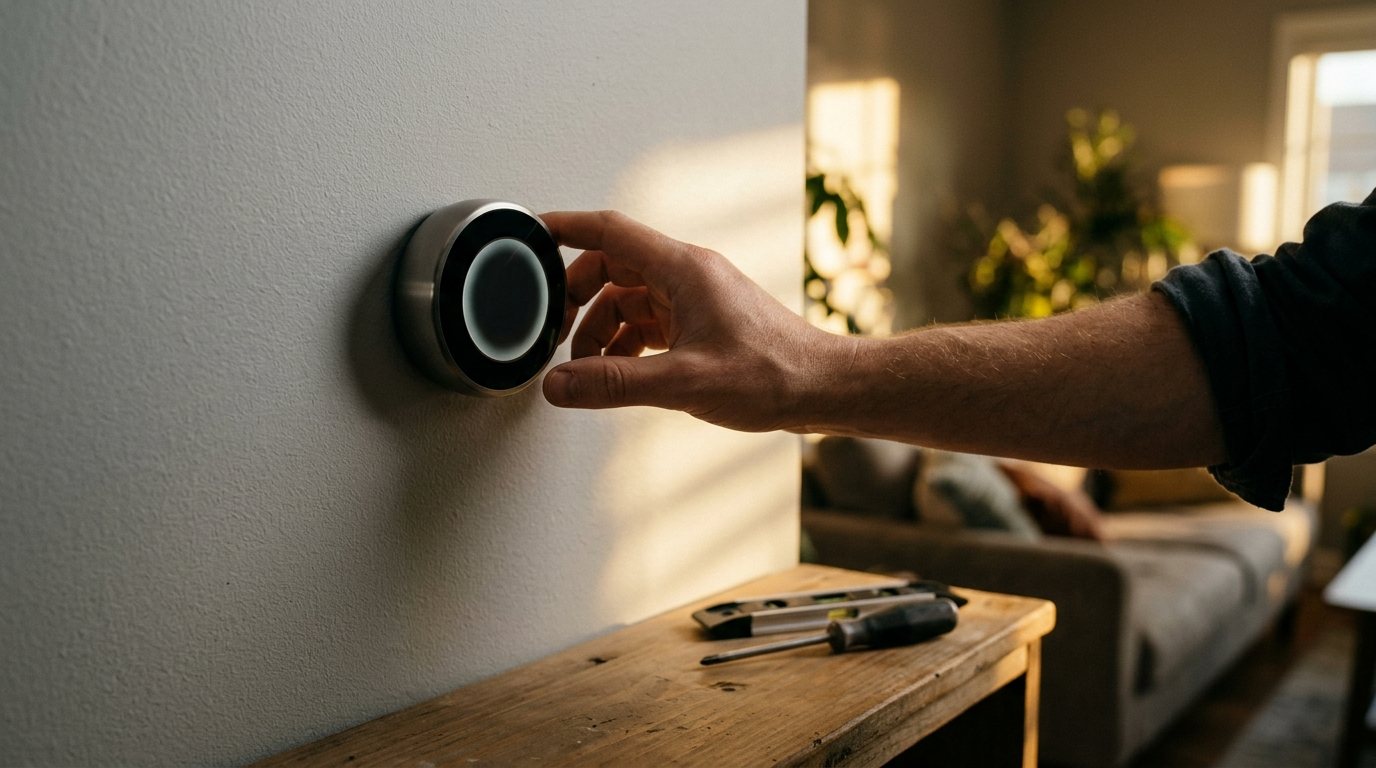
- Position the base. Feed the wires through the opening in the new base, hold it against the wall and level it. Use the trim plate if the old thermostat left paint marks or extra holes.
- Mark and drill. Mark the screw holes, drill pilot holes, and add wall anchors if there is no stud behind the base.
- Plug the wall hole. Stuff a little putty or insulation around the wires where they come out of the wall. Drafts from inside the wall can make the thermostat read the wrong temperature.
- Connect the wires. Insert each labeled wire into the matching terminal. If you had only one R wire and the new base has Rh and Rc, follow the instructions, which usually say to use one R terminal. Push each wire in until it locks and tug gently.
- Attach the display. Tuck any extra wire back into the wall and snap on the faceplate.
Step 6: Restore power and set it up
Turn the furnace switch and breakers back on. The thermostat should power up and walk you through setup, usually with a phone app. You will connect it to Wi-Fi, confirm the wires it detected and choose your system type, such as gas furnace or heat pump.
Then test every function: heat, cooling, fan and any auxiliary heat. Many thermostats build in a delay of a few minutes before starting the compressor, so give it time before assuming it failed. Our guide to the best thermostat settings for winter will help you set schedules once it is running.
Common errors and how to fix them
- Blank screen after install: Check that the breaker and furnace switch are on and the furnace door is fully closed, since many furnaces have a door safety switch. If a short blew the fuse on the control board, an HVAC technician can confirm and replace it.
- “No power” or low-power warnings, Wi-Fi dropouts: The thermostat is not getting steady power, which usually means you need a C-wire or adapter.
- Heat or cooling runs the wrong way: On a heat pump, the O/B setting in the app is reversed. Switch it and test again.
- System turns on and off rapidly: Often a power-stealing issue or a setup error. See our guide to furnace short cycling.
- Fan runs constantly or will not run: Check that G is connected and that the fan mode is set to auto.
- Nothing responds at all: Recheck each wire against your photo, then work through our thermostat not working guide.
When to call a pro
Call an HVAC technician or licensed electrician if any of these apply:
- You have line-voltage baseboard heat and are not experienced with 120V or 240V wiring.
- You need a new C-wire run through finished walls, or an adapter installed inside the furnace.
- Your system has multiple stages, zones, dual fuel or a boiler with extra controls.
- The furnace will not run after the swap, or you suspect a blown control board fuse.
- You smell burning, see scorched wires or the breaker trips.
According to HomeAdvisor, professional smart thermostat installation averages about $350, with most homeowners paying $200 to $500, and electricians and HVAC technicians charge roughly $50 to $150 per hour. Angi puts adding a C-wire at about $120 to $200.
Frequently asked questions
Can I install a smart thermostat without a C-wire?
Some models can run without one using power-sharing or an included adapter, but many work more reliably with a C-wire. If your thermostat shows low-power warnings or drops Wi-Fi, add a C-wire or use the manufacturer’s adapter.
Do I need to turn off the breaker to change a thermostat?
Yes. Even though the wires carry only 24 volts, a short can blow the furnace control fuse or damage the thermostat. Turn off the HVAC breaker and the furnace switch first.
Can I put a smart thermostat on baseboard heaters?
Not a standard one. Electric baseboard heaters usually use 120V or 240V line-voltage thermostats, so you need a smart thermostat specifically rated for line voltage, installed with the power off and verified.
What if my wire colors do not match the terminals?
That is common, because thermostat wire colors are not standardized. Always go by the terminal letter each wire was connected to on the old thermostat, which is why the before photo matters.
How long does it take to install a smart thermostat?
A straightforward swap with a C-wire already in place often takes under an hour. Adding a C-wire or adapter at the furnace can take longer.
The bottom line
Installing a smart thermostat is a manageable DIY job on a low-voltage system: confirm compatibility, turn off the HVAC breaker and furnace switch, photograph and label each wire by terminal, solve any missing C-wire, then mount and set it up. Never put a standard smart thermostat on line-voltage baseboard heat, and call a pro if the wiring or furnace work is beyond your comfort level.