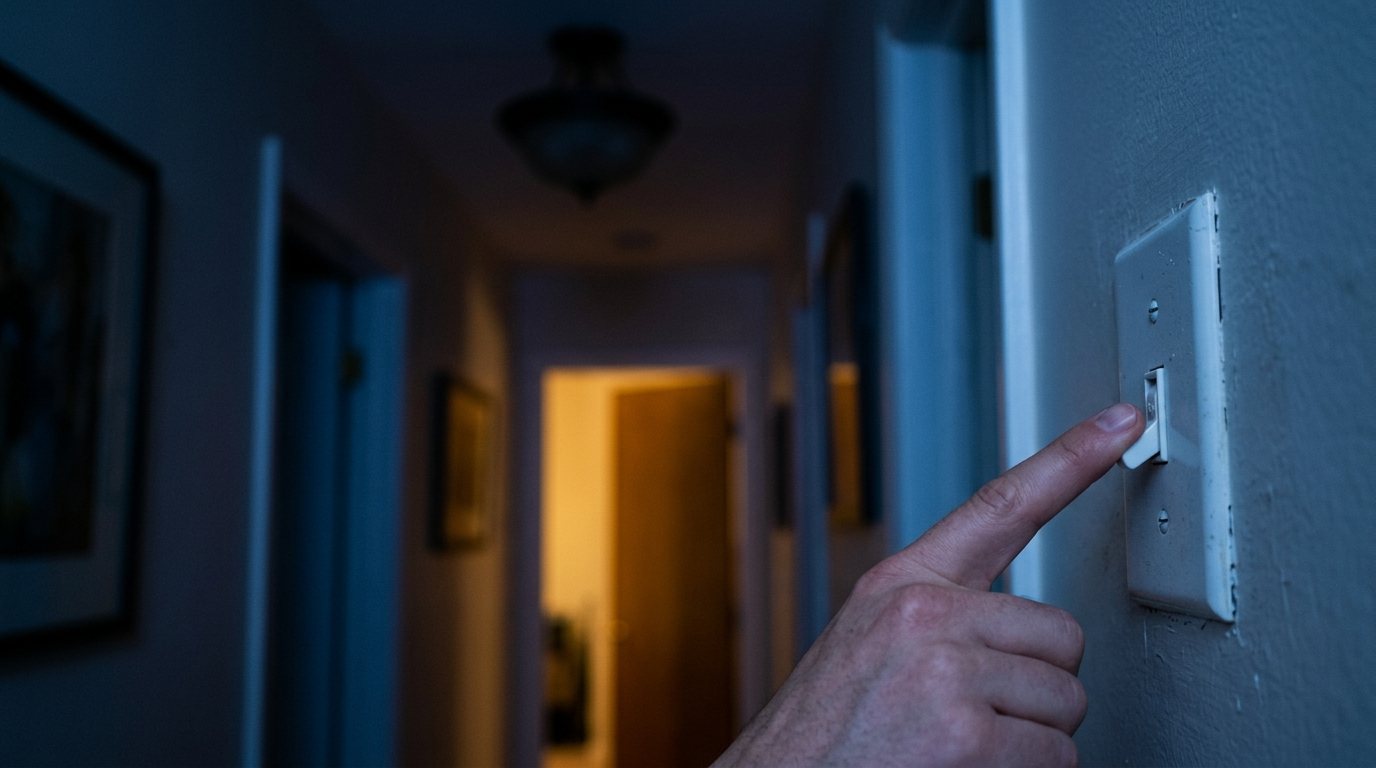
You flip the switch and nothing happens. Maybe the light worked yesterday, maybe it only works when you jiggle the toggle, or maybe one of two switches at the top and bottom of the stairs has stopped doing anything at all.
This guide walks you through the causes in a safe order, starting with checks that need no tools and ending with the switch itself. You’ll also learn the warning signs, like a warm or buzzing switch, that mean you should stop and call a licensed electrician.
Quick answer: First rule out the bulb and fixture by trying a known good bulb. Then check for a tripped breaker or a tripped GFCI outlet on the same circuit. If power is present, turn off the breaker, verify with a tester and check the switch for loose or backstabbed wires; a worn switch is cheap to replace. If the switch is warm, discolored, buzzing or smells burnt, stop using it and call an electrician.
Start with the easy checks
Most “dead” switches turn out to be something other than the switch. Work through these in order before you take anything apart.
1. Burned-out or incompatible bulb
Swap in a bulb you know works, ideally one from a working lamp. If the fixture takes several bulbs and none light, a bulb is less likely to be the problem. LED bulbs on dimmers, timers or smart switches can also fail to light, flicker or glow faintly if they aren’t compatible, so try a different dimmable bulb before blaming the switch.
2. Fixture problem
Sockets wear out too. With the power off at the breaker, look inside a screw-in socket: the small brass tab at the bottom can flatten over time and stop touching the bulb. Gently lifting it a little with a non-metallic tool often restores contact. Integrated LED fixtures have no replaceable bulb, so when one fails after years of service, the fixture or its driver usually needs replacing.
3. Tripped breaker or blown fuse
Check the panel for a breaker sitting in the middle or “tripped” position. Push it firmly to OFF, then back to ON. Newer homes may have AFCI or combination breakers with a test button, which trip on arcing as well as overloads. If a breaker trips again right away or keeps tripping, don’t keep resetting it; see our guide on why a circuit breaker keeps tripping.
4. Tripped GFCI outlet
A GFCI outlet in a bathroom, kitchen, garage, basement or outside can protect other devices downstream on the same circuit, including some lights. Look for GFCI outlets with TEST and RESET buttons near the problem area and press RESET firmly. If it won’t reset or trips repeatedly, our guide to a GFCI outlet that keeps tripping explains why.
Problems inside the switch box
If the bulb, fixture, breaker and GFCI all check out, the fault is likely at the switch or in the wiring between switch and light. This is where safety matters most.
Safety note: Before you remove a cover plate, turn off the breaker for that circuit and confirm the power is off with a non-contact voltage tester, checking the tester on a known live outlet before and after. Switch boxes can hold wires from more than one circuit, so test every wire. If you can’t identify the right breaker or aren’t comfortable working in the box, call a licensed electrician.
5. Loose or backstabbed wires
A wire that has worked loose under a terminal screw, or one pushed into a spring-clip “backstab” hole on the back of the switch, can cause a light that works intermittently, flickers or stops completely. Loose connections also generate heat and are a fire hazard. With the power off, gently tug each wire; if one is loose or backstabbed, move it to the screw terminal with a clockwise loop and tighten firmly.
6. Worn-out switch
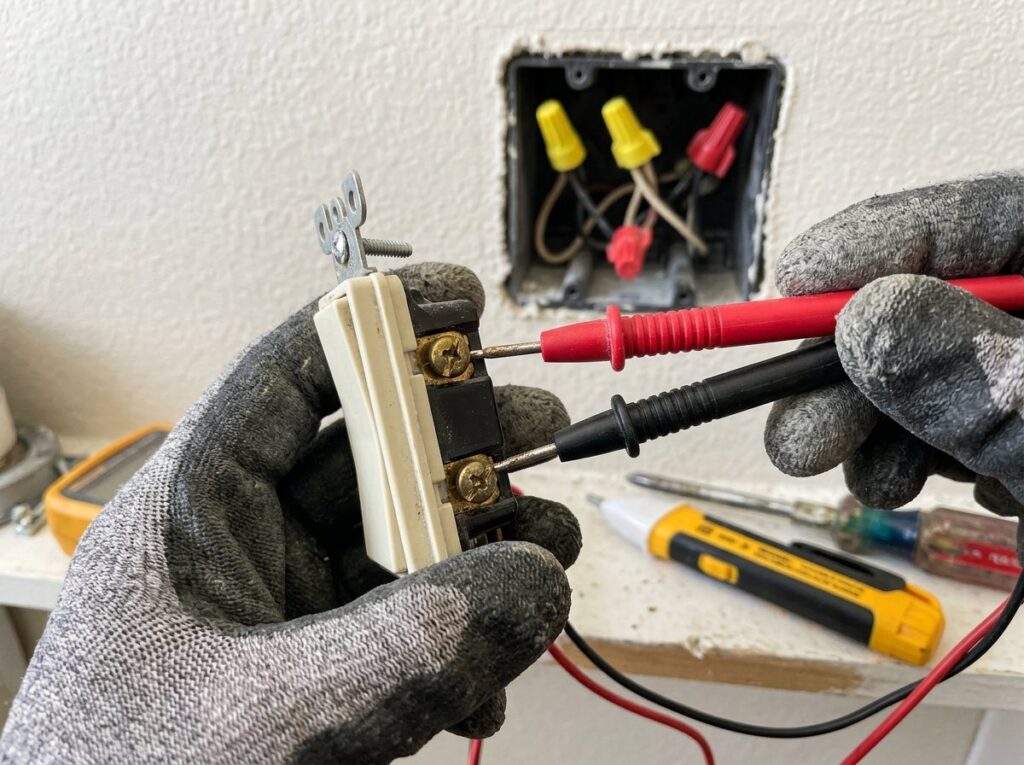
Switches are mechanical, and their internal contacts and springs wear with use. Signs include a toggle that feels loose or mushy, a light that only works if you hold the switch a certain way, or a faint crackle when you flip it. To confirm a single-pole switch has failed:
- With the breaker off and power verified dead, label the wires, disconnect them and remove the switch.
- Set a multimeter to continuity (the beep setting) and touch one probe to each brass terminal.
- Flip the switch ON: the meter should beep. Flip it OFF: it should go silent.
- No beep in the ON position, or a beep in both positions, means the switch is bad and should be replaced.
A new single-pole switch is inexpensive, and our light switch replacement guide covers the job step by step. Replace it with the same type: single-pole, 3-way or dimmer.
7. 3-way switch confusion
When two switches control one light, each switch’s position matters, so the light may seem dead from one switch simply because the other is in a different position. Try every combination before assuming a fault. If a 3-way switch was recently replaced and the light now works only in some combinations, the common wire (the one on the darker screw) was probably moved to a traveler terminal. Four-way setups with three or more switches are more complex, and are a good job to hand to an electrician.
Smart switches, timers and motion sensors add another layer. Many need a neutral wire, a firmware update or a reset after a power outage, and some won’t work with very low-wattage LED loads. Check the device’s app or manual for a reset procedure before you assume the wiring is at fault.
Troubleshooting table
| Symptom | Likely cause | What to try |
|---|---|---|
| Nothing happens, other lights on the circuit also dead | Tripped breaker, blown fuse or tripped GFCI | Reset the breaker or GFCI. If it trips again, stop and investigate. |
| Nothing happens, rest of the room works | Bulb, socket, loose wire or failed switch | Try a known good bulb, check the socket tab, then inspect the switch with the power off. |
| Light works only when you jiggle the switch | Worn switch contacts or a loose connection | Turn off the power, tighten or move backstabbed wires, replace the switch. |
| Light flickers when switched on | Loose connection, incompatible LED or dimmer | Try a different bulb, check connections, confirm the dimmer is LED-rated. |
| 3-way works from only one location | Other switch position, or common wire on the wrong terminal | Test all switch combinations, then check the wiring of any recently replaced switch. |
| LED glows faintly when switched off | Dimmer, smart switch or lighted switch leaking a small current | Use a compatible bulb or a switch with a neutral connection. |
| Smart switch unresponsive after an outage | Device needs a reset, or no neutral where one is required | Follow the reset steps in the app or manual; check the neutral requirement. |
| Switch warm, buzzing, crackling or discolored | Loose connection, overload or failing device | Stop using it, turn off the breaker and call an electrician. |
Warning signs you should never ignore
Some symptoms mean heat is building up somewhere it shouldn’t. The Electrical Safety Foundation International’s home electrical safety checkup advises that switches that are warm to the touch, discolored, or make crackling, buzzing or sizzling sounds should not be used until a licensed electrician checks them. It notes that discoloration signals a dangerous heat buildup at the connections.
- Warm or hot switch plate: a dimmer can be slightly warm in normal use, but a standard toggle switch should not be. See our guide to a warm outlet or light switch.
- Brown or black marks on the switch, plate or nearby wall.
- Burning plastic smell near the switch.
- Sparks, popping or buzzing when you flip the switch.
- A tingle or mild shock when you touch the plate.
If your home has aluminum branch wiring, take these signs even more seriously. The CPSC’s guide to repairing aluminum wiring lists hot face plates, flickering lights, circuits that don’t work and a burning plastic smell at switches as warning signs, and says the repair should be done by a qualified electrician, not the homeowner.
Tools and materials
- A known good bulb
- Non-contact voltage tester
- Multimeter with a continuity setting
- Flat and Phillips screwdrivers
- Needle-nose pliers and wire strippers
- Replacement switch of the same type (single-pole, 3-way or dimmer)
- Flashlight or headlamp and painter’s tape for labeling wires
When to call a pro
Bulbs, breakers, GFCI resets and a straightforward single-pole switch swap are reasonable DIY jobs. Call a licensed electrician when:
- The switch or plate is warm, discolored, buzzing or smells burnt.
- A breaker trips again after you reset it, or a GFCI won’t reset.
- You find aluminum wiring, scorched insulation or brittle wires.
- The switch box has no ground, several cables you can’t identify, or wires from multiple circuits.
- A new switch doesn’t fix the problem, which points to a fault in the wiring or a hidden junction box.
- You’re dealing with 4-way switches, smart switches that need a neutral you don’t have, or anything you’re unsure about.
Permit requirements vary by city and state, so check locally before doing more than a like-for-like device swap. For budgeting, Fixr’s light switch cost guide lists a national average of about $150 to install a switch, with a typical range of $100 to $200, and electrician rates of roughly $40 to $120 per hour. Tracing a hidden wiring fault takes longer and costs more.
Frequently asked questions
How do I know if my light switch is bad?
Rule out the bulb, fixture, breaker and GFCI first. If power reaches the switch but the light still won’t work, a switch that feels loose, works intermittently or crackles is likely worn. With the power off and the switch removed, a multimeter continuity test confirms it.
Why does my light switch work sometimes and not others?
Intermittent operation usually means a loose wire or worn contacts inside the switch. Backstabbed connections are a common culprit. Turn off the breaker, check the connections and replace the switch if needed.
Can a bad light switch cause a fire?
Yes. A loose connection or failing switch can overheat and arc, which can ignite nearby material. If a switch is hot, discolored, sparking or smells burnt, stop using it, turn off the breaker and have an electrician inspect it.
Why did my light stop working after I replaced the switch?
The most common cause is a wiring mistake, especially on a 3-way switch where the common wire ends up on a traveler terminal. A loose connection or a breaker that tripped during the work is also possible. Turn off the power and compare your wiring to the photo you took and the switch instructions.
Why is my light switch not working but the breaker isn’t tripped?
Look for a tripped GFCI outlet on the same circuit, a dead bulb or socket, or a loose wire at the switch or fixture. A partially tripped breaker can also look normal, so switch it fully off and back on.
The bottom line
A light switch not working is usually a bulb, a tripped breaker or GFCI, a loose wire or a worn switch, and you can check most of these safely in order. Always turn off the breaker and verify with a tester before opening the box. If the switch is warm, discolored, buzzing or the problem points to hidden wiring, call a licensed electrician.